Know what has been paid, by whom — as it happens
Set fee items per class and section, record every payment against the right student, and see collections and balances update in real time across the school.
What gets in the way today
- Fee schedules kept in spreadsheets that drift from class to class
- Receipts written by hand and reconciled at the end of the term
- No instant answer to “how much have we collected?”
- Debtors chased from memory
What changes
- One fee schedule per class and section, reused every term
- Every payment recorded against the student and fee item
- Collections and balances visible in real time
- Outstanding balances listed for follow-up
Everything included in School Fees & Billing
Fee items per class
Tuition, levies and other items configured per class and section.
Discounts
Apply discounts to individual students and fee items.
Payment recording
Record payments by transfer, POS, bank deposit or cash, with teller and transaction references.
Transport fees
Bus routes and transport fees with their own payments and reports.
Student wallets
Wallet balances for students, with wallet logs and receiving accounts.
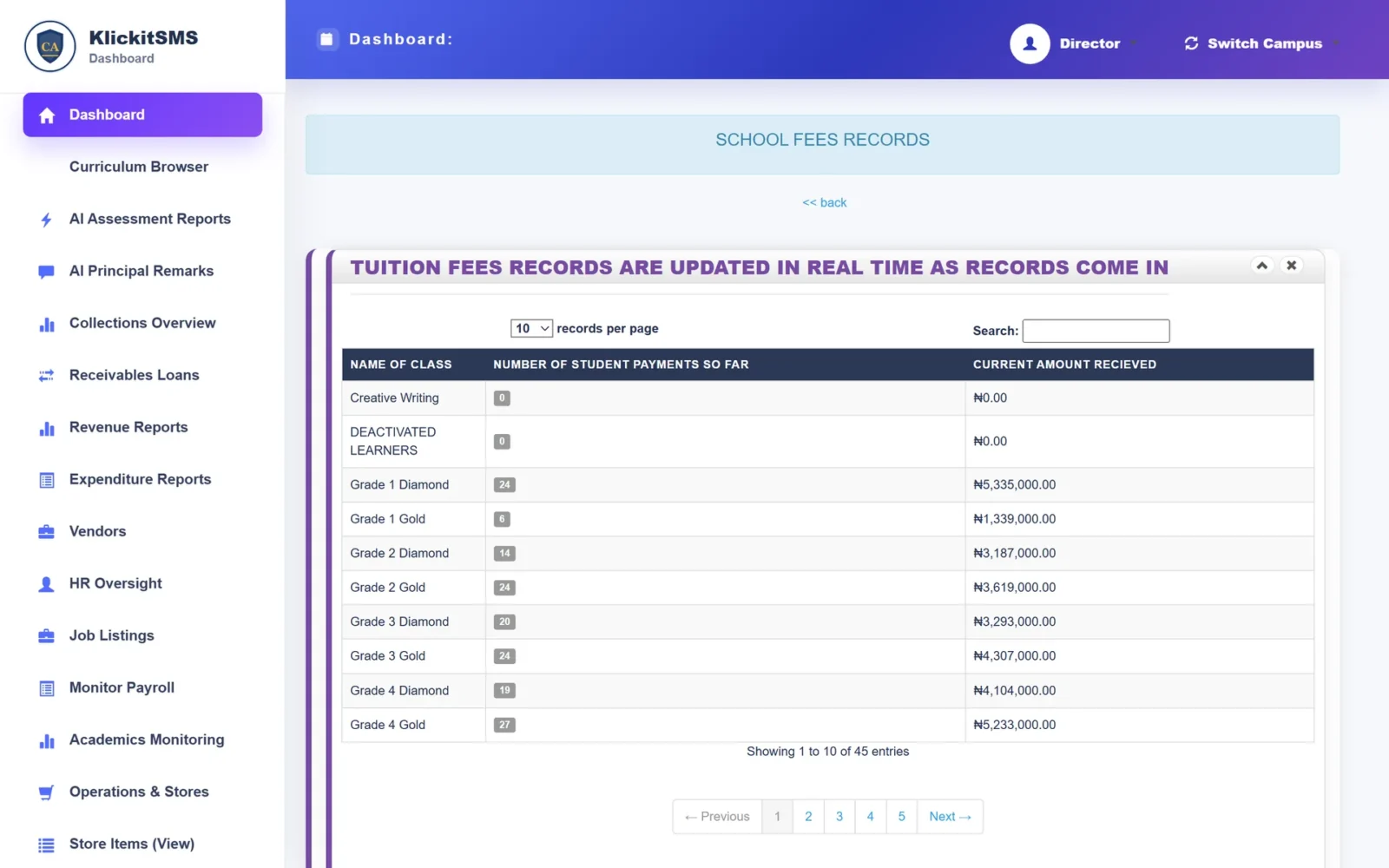
Real-time collection records
Class-by-class collections, updated as payments come in.
Outstanding and debtor reports
See balances and follow up on unpaid fees.
Payment history
A complete history of every payment for every student.
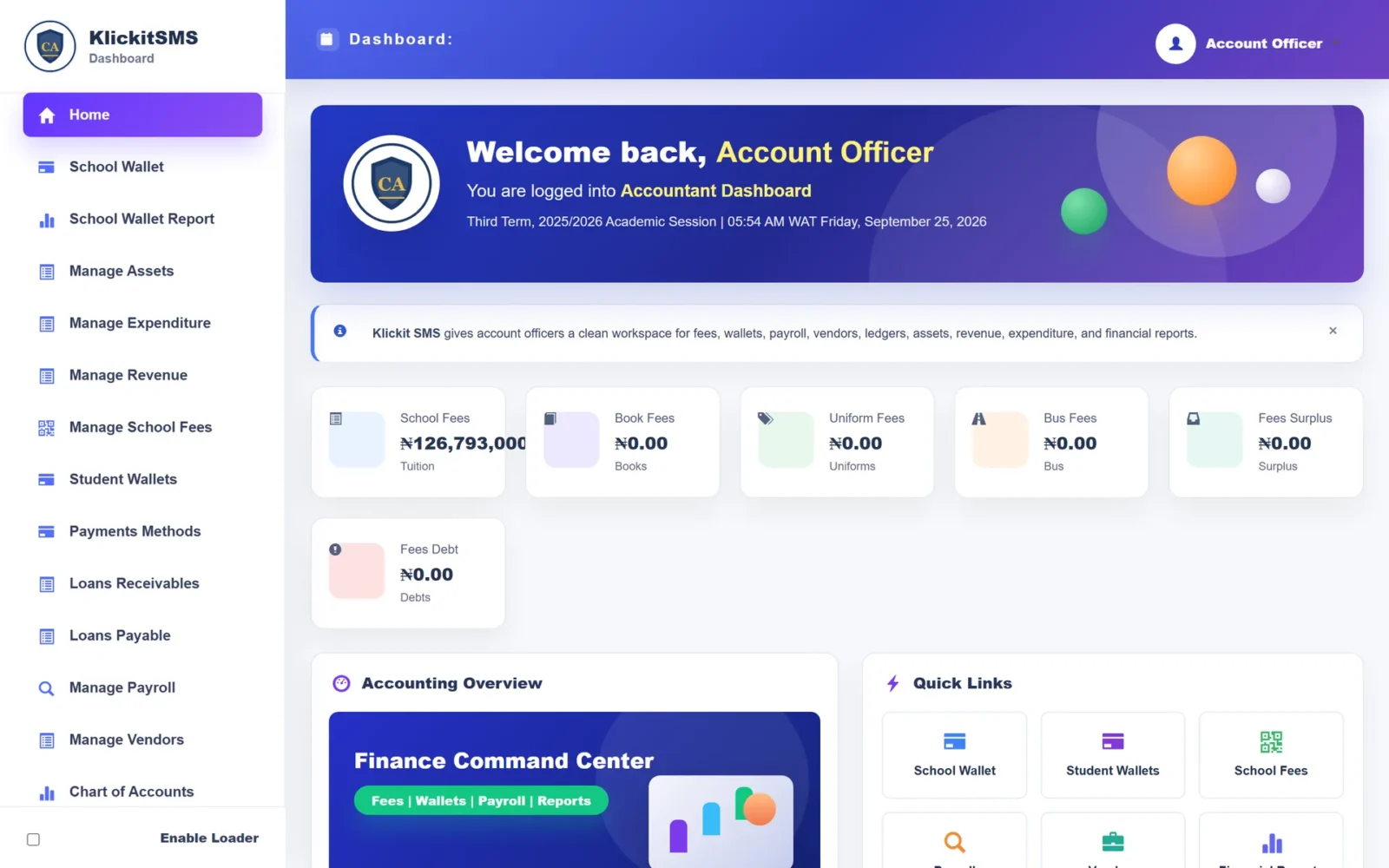
A clean workspace for the bursary
Fees, wallets, payroll, vendors and reports are one click away in the accounts portal.
Parents see fees too
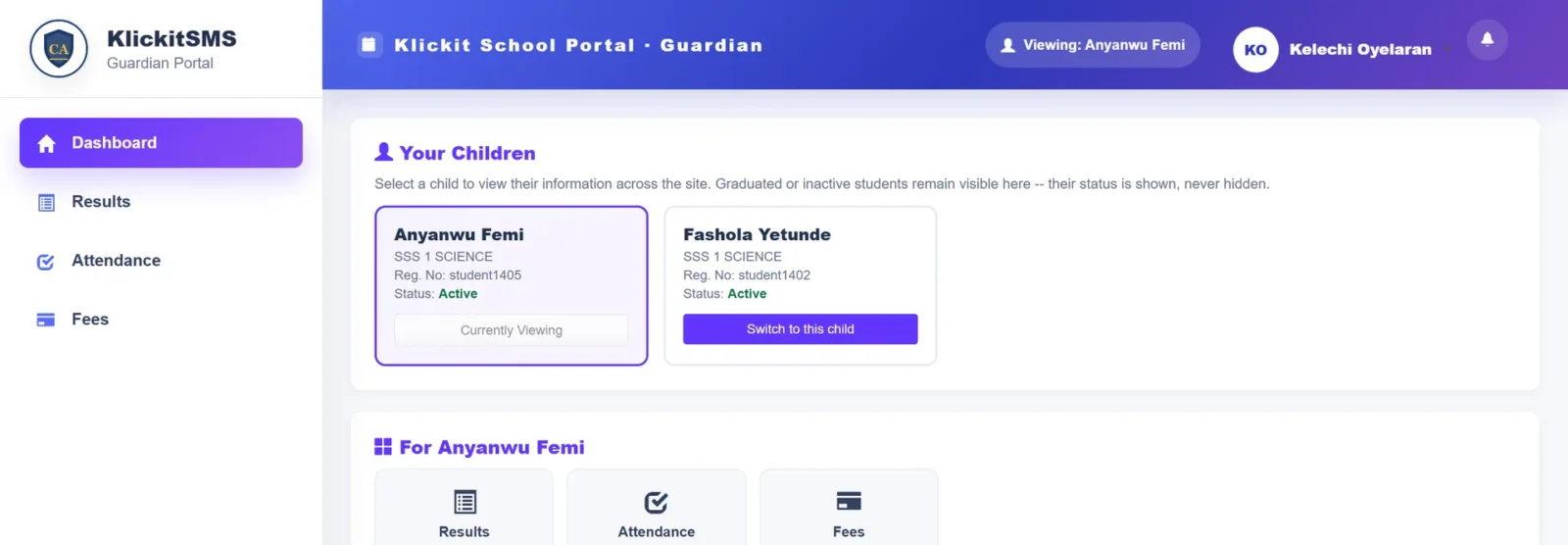
Guardians can see fee information for each child from the parent portal.
Works hand in hand with
Because every module shares one record, School Fees & Billing feeds and is fed by the rest of the platform.
Frequently asked
Can different classes have different fees?
Can parents pay online through KlickitSMS?
See School Fees & Billing in action
Book a guided demo and we’ll walk through school fees & billing using a school structure like yours.